A private diary that stays on your device.

Write, reflect, and track your mood in an offline journal built for calm, encrypted privacy, without accounts, cloud sync, ads, or subscription pressure.

Offline-first No account AES-256 local storage PIN · password · biometrics

Free to install · No account required · Your entries stay on your device
01
Lock
03
Mood
// Encrypted on device // No account ever
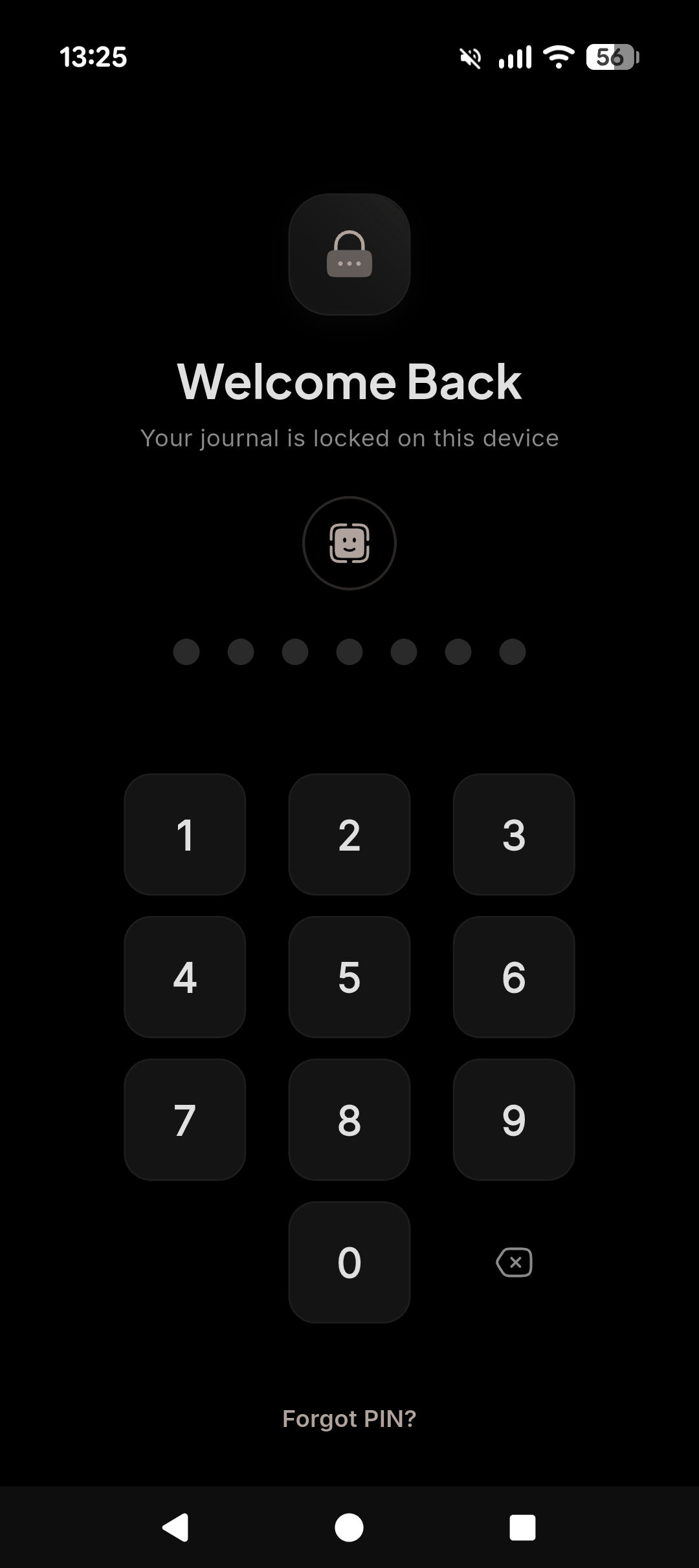
PIN unlock screen — Welcome Back, your journal is locked on this device
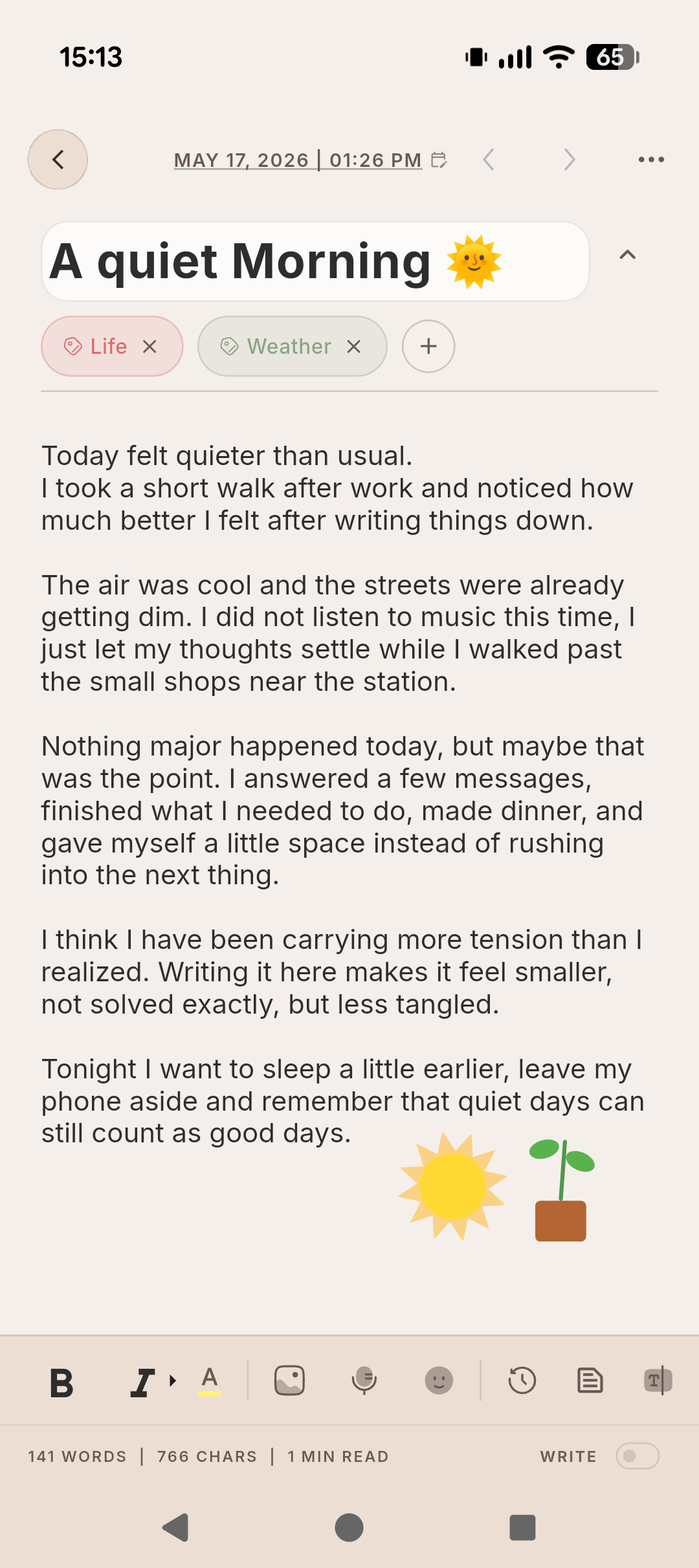
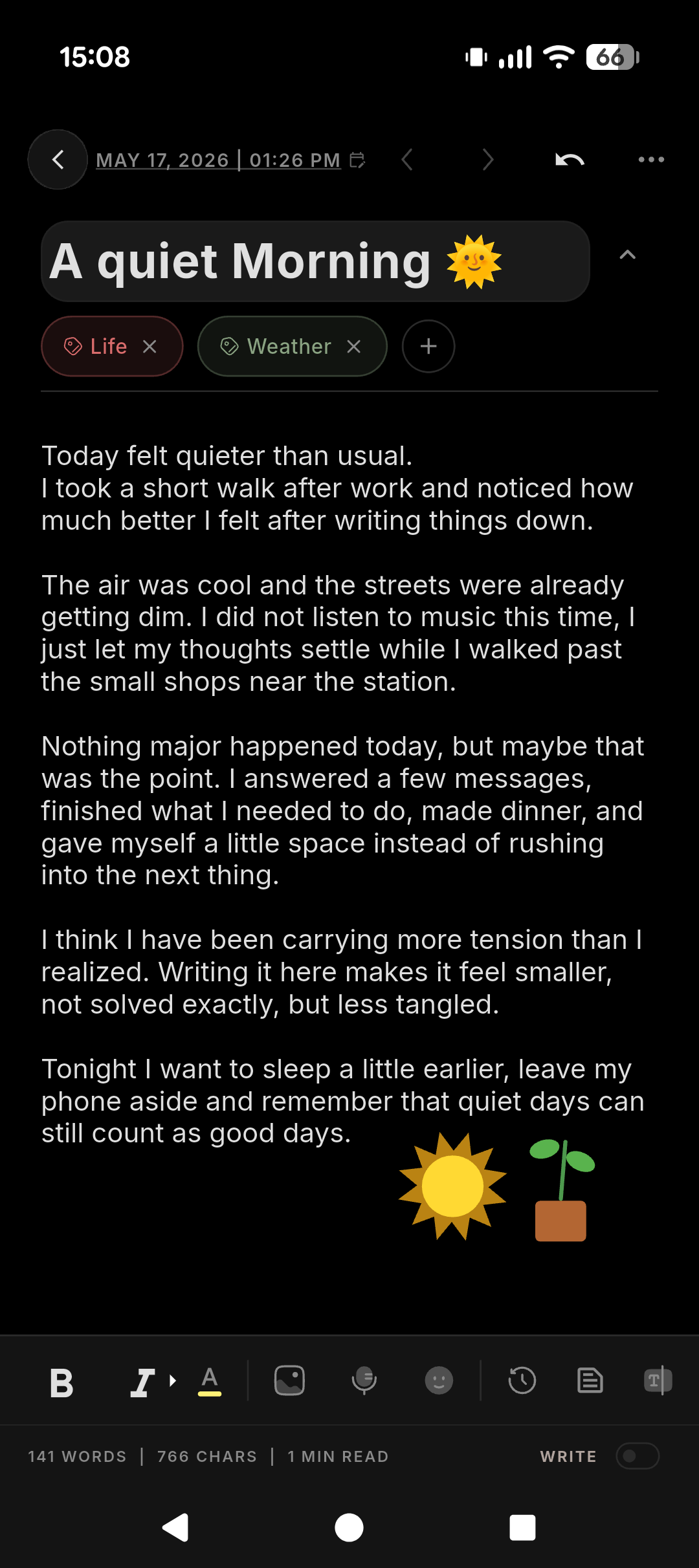
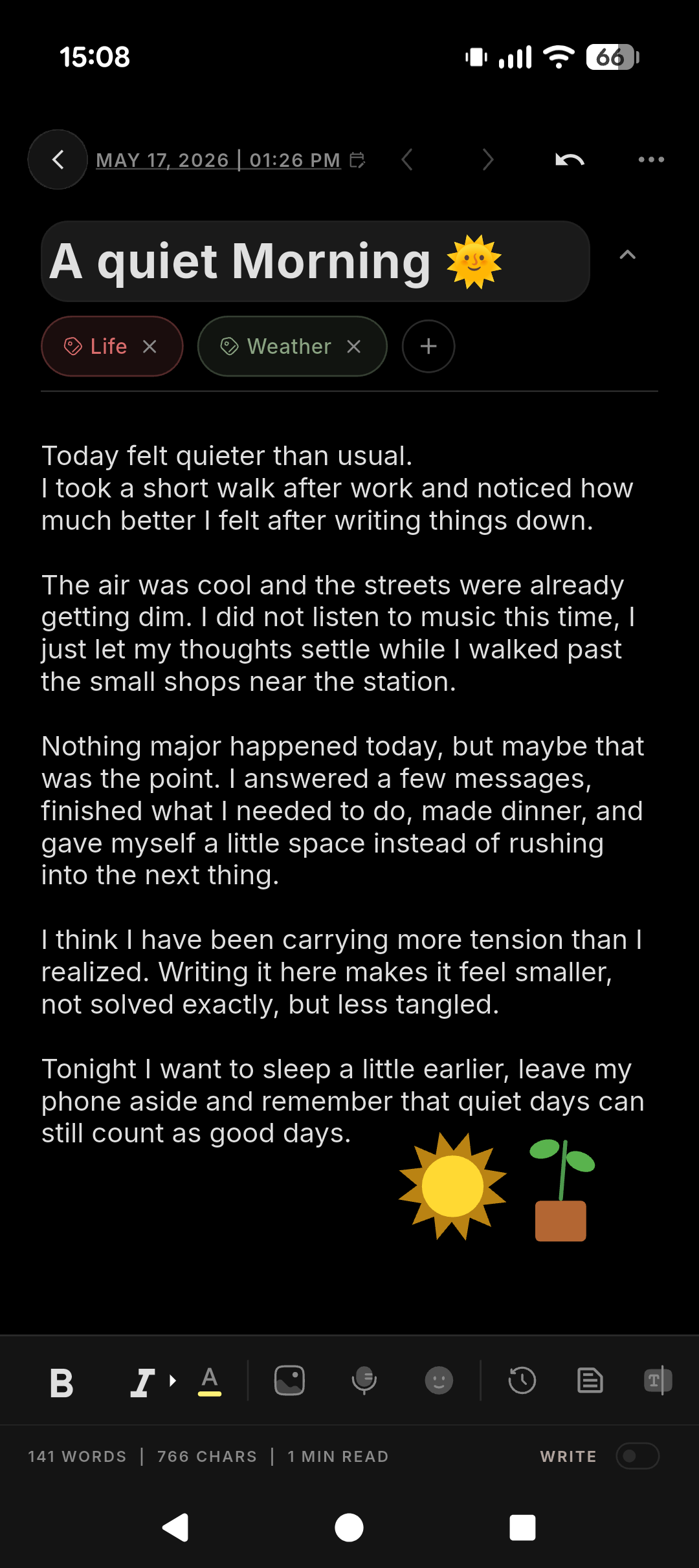
Writing screen — A quiet Morning entry with Life and Weather tags
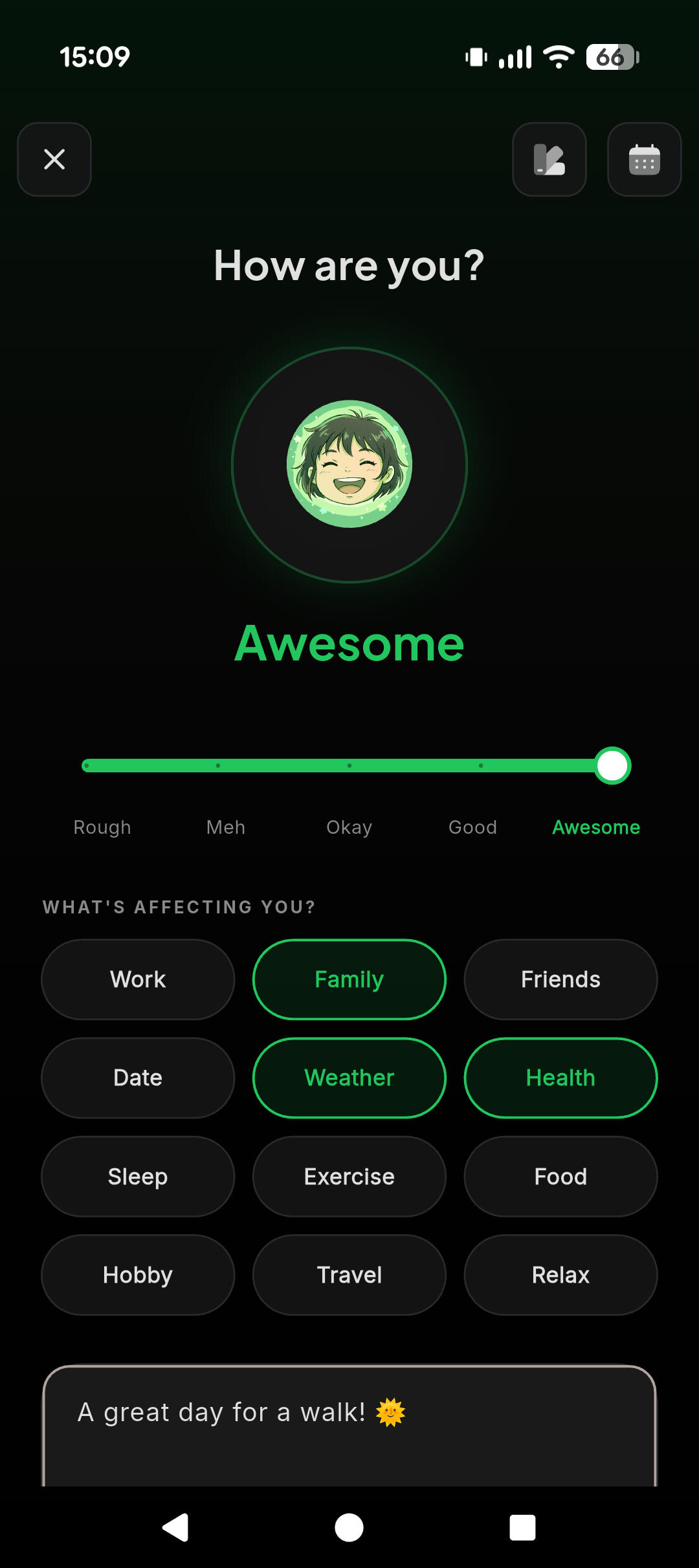
Mood tracker — How are you? Awesome mood with affecting tags
100% offline by default Zero accounts, zero tracking AES-256 local encryption You own the backup file Built by a 2-person studio in Osaka
/ Inside the app

Eight screens. One quiet habit.

From your first PIN to your hundredth entry, every surface is built around one idea: this is yours, on this device, nobody else's.
Writing screen with title, tags and free-flow text
01 · WRITE

Write privately

An uncluttered editor that gets out of your way.

PIN, biometric and password unlock screen
02 · LOCK

Lock your journal

PIN, password, or fingerprint — your call.

Mood tracker with slider and affecting factors
03 · MOOD

Understand your mood

Five steps, a soft slider, and tags for what's affecting you.

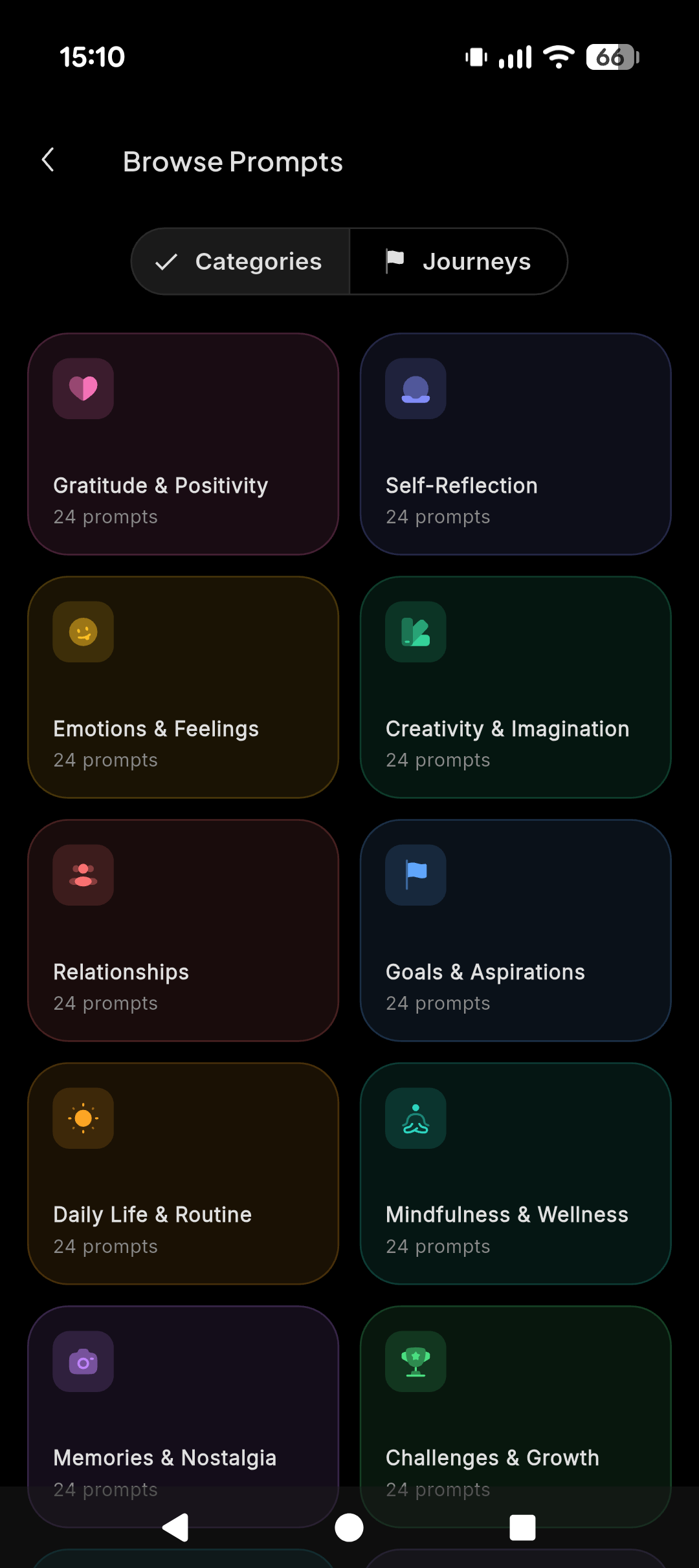
Browse prompts grid with categories and journeys
04 · PROMPTS

Keep the habit

Daily prompts, gentle reminders, and a streak that won't shame you.

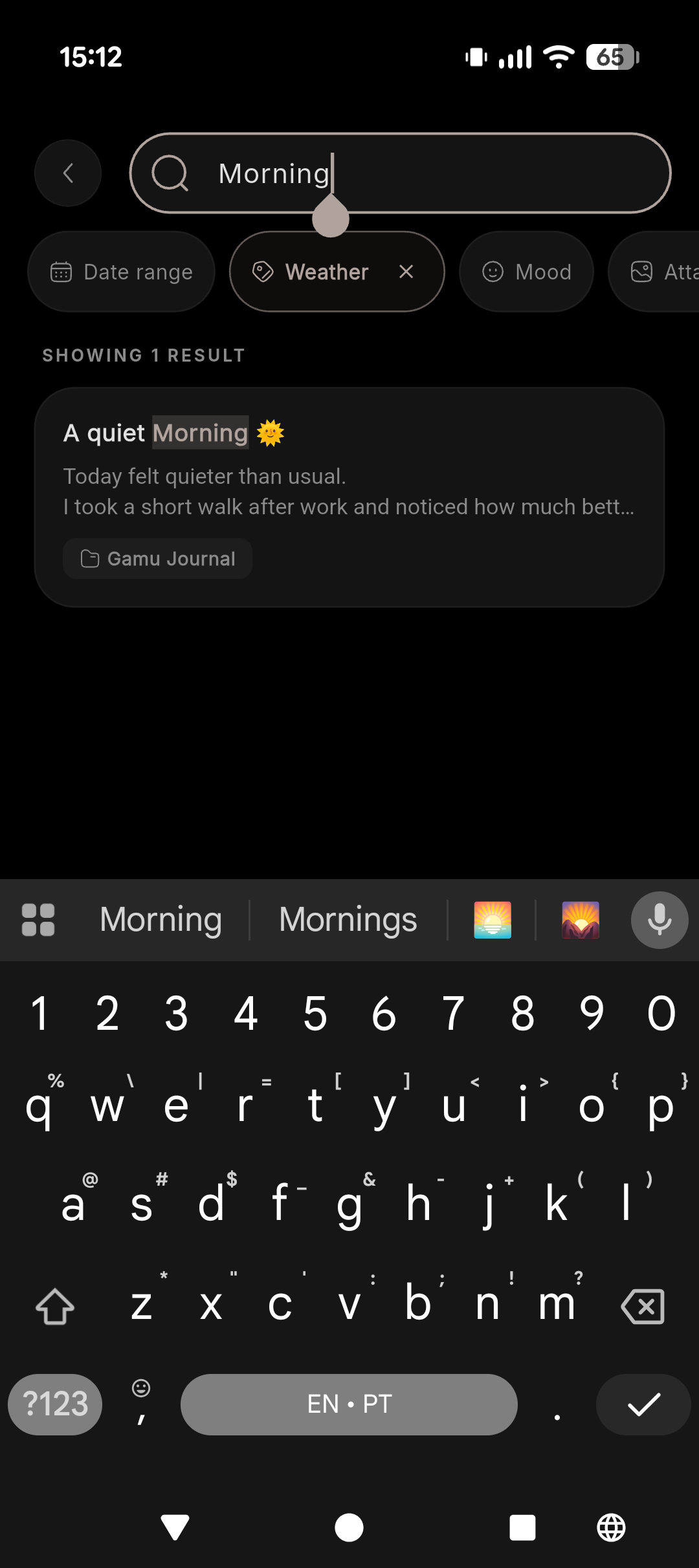
Search entries by keyword, weather, mood and attachments
05 · SEARCH

Organize memories

Folders, tags, and instant search across years of entries.

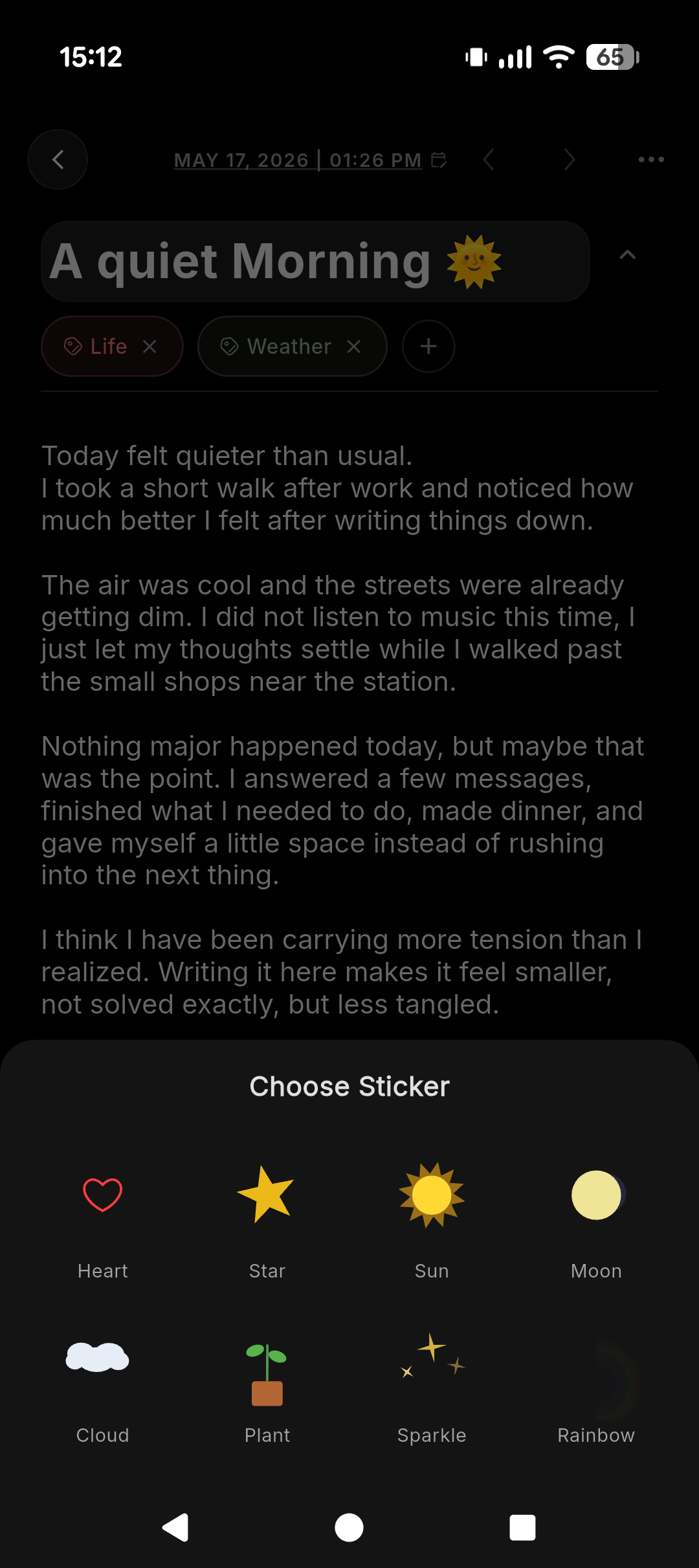
Choose sticker sheet with heart, sun, plant and more
06 · CAPTURE

Capture more than text

Photos, voice notes, and small stickers when words aren't enough.

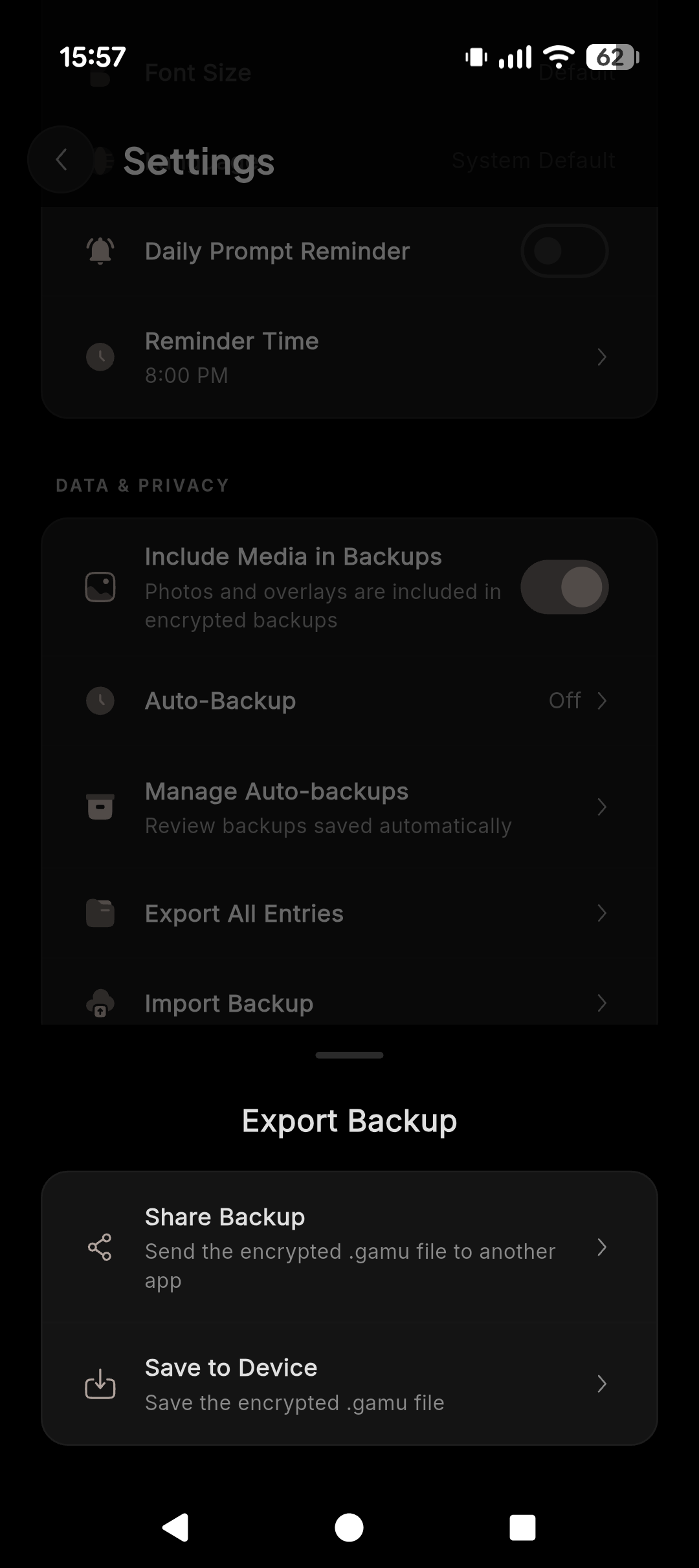
Export backup sheet with Share Backup and Save to Device
07 · BACKUP

Stay in control

Export an encrypted .gamu file. Restore it when you need to.

Same editor in light mode for daytime writing
08 · THEME

Write any time

OLED-friendly black at night. Warm paper by day.

/ The whole app

Built like a notebook, not a feed.

No streak guilt, no friend requests, no features you didn't ask for. Just the parts of a journal you actually use.

01 · Write

A blank page that respects your time.

Open the app, pick up where you left off. Markdown-friendly, with tags, dates, and a quiet word counter. No distracting "AI suggestions," no banner ads in your thoughts.

  • Sentence-case titles with optional stickers
  • Inline tags like Life, Weather, Health
  • Word, character and read-time counters
  • Per-entry calendar navigation
Editor with formatted entry and inline tags
02 · Lock

Protected before anyone can read it.

Choose how you unlock: a PIN, a password, or your fingerprint and face. The whole journal is encrypted at rest with AES-256 — locking the screen also locks the data.

  • PIN, password or biometric unlock
  • Auto-lock on app background
  • No "recovery email" because no account exists
  • Hidden app preview when you switch apps
Welcome Back PIN screen with biometric option
03 · Mood

Track how you feel over time.

A five-step slider from Rough to Awesome, with optional tags for what's affecting you today. Patterns surface gently in the history view — no leaderboards, no scores.

  • One-tap daily mood entry
  • Affecting-factor tags: Work, Family, Sleep, Weather…
  • Calendar heatmap and weekly average
  • Mood + writing combine into one entry
How are you mood slider on Awesome with affecting tags
04 · Prompts

Never start from a blank page.

Eight built-in prompt categories — Gratitude, Self-Reflection, Creativity, Goals — plus longer themed Journeys. Or set a daily reminder and pick when it appears.

  • 200+ curated prompts across 8 categories
  • Themed multi-day Journeys
  • Custom reminder times
  • Streaks that count, not pressure
Browse Prompts categories grid
05 · Search

Find old thoughts and memories quickly.

Type a word — "morning," "Tokyo," "mom" — and Gamu Journal scans the entries on your device only. Filter by weather, mood, date range, or attachments.

  • Full-text local search
  • Filter by date, mood, weather, tags, attachments
  • Folders for chapters, trips, projects
  • Pinned and favorited entries
Search results for Morning with Weather filter active
06 · Capture

Capture more than text.

Attach a photo, record a voice note, or drop a small sticker into your entry. Everything lives inside the encrypted journal file — never uploaded, never indexed by anyone else.

  • Photo and image attachments
  • Voice memos for you journal entries
  • Hand-drawn stickers (heart, sun, plant…)
  • Stored inside the encrypted .gamu file
Sticker chooser with heart, star, sun and more
07 · Backup

Keep backups under your control.

Export the whole journal as a single encrypted .gamu file. Send it to your own cloud drive, your laptop, or an external SD card — wherever you trust. Restore takes one tap.

  • One-tap encrypted export
  • Save to device or share to any app
  • Import on a new phone in seconds
  • No backup server, ever — there isn't one
Export Backup sheet with Share and Save to Device options
08 · Theme

Comfortable private writing, any time.

A true-black OLED theme for late-night entries, a warm paper theme for mornings. Both with the same tag pills, the same legibility, the same calm.
  • OLED-true black for late nights
  • Warm paper theme for daytime
  • Adjustable type size and line height
  • Follows your system theme automatically
Dark mode editor — true black background
/ The deal

Privacy you can understand.

No legal-page novella. No "industry-leading security" badges. Here is what actually happens to your words — in four short sentences.

01 · No account

You don't sign up.

There is no email, no username, no "Sign in with Google." The app opens. You write. That's it.

02 · No cloud sync

Your entries never leave your phone.

We don't run a server for your journal because we don't have one. The data lives in the app's encrypted storage on your device.

03 · Local protection

Lock it with PIN, password or biometrics.

The journal is encrypted at rest. Unlocking it requires whatever you set — and only on this device, in this app.

04 · You own backups

Backups are a file, not a service.

Export an encrypted .gamu file. Put it wherever you want — or nowhere. Import it onto a new phone in seconds.

What we don't claim: end-to-end encryption (there's no "ends" — there's just your device), third-party audits, or zero-knowledge certifications. If we don't promise it on this page, we haven't done it. We'd rather under-promise than perform security theater.

/ Pricing

Simple pricing that respects trust.

Free is fully usable forever. Pro is a one-time purchase — not a subscription, not a "free trial that auto-renews." Pay once, keep it.

Free

Gamu Journal

$0forever
No credit card · No account
  • Unlimited entries
  • PIN, password, biometric lock
  • Daily mood tracker
  • Tags and folders
  • Random daily prompts
  • Local search
  • OLED dark + paper themes
Install free Available on Google Play and the App Store.
Pro · One-time

Gamu Journal Pro

One-time Pro unlockpurchase details in store
No subscription · No renewals
  • Everything in Free
  • 200+ curated prompts & multi-day Journeys
  • Voice notes and photo attachments
  • Auto-backup scheduling
  • Custom reminder times
  • Sticker pack
  • And more...
Unlock Pro The store shows all purchase details before any payment.
/ Honest answers

Questions, answered like a friend would.

No. There is no sign-up, no email, no username. You install the app and start writing. We don't have a user database because we don't have any users in the database sense.
Not by us. Gamu Journal has no cloud sync built in — your entries stay on the device they're written on. If you want a copy somewhere else, you can export an encrypted backup file and put it wherever you trust (Drive, Dropbox, an SD card, a USB stick).
The journal is encrypted at rest using AES-256 with a key derived from your PIN, password, or device biometric. The app auto-locks when backgrounded and never shows your entries in the recent-apps preview.
If you haven't exported a backup, your entries are gone with the device. This is the trade-off of a strictly-local design — there's no server for us to restore from. We strongly recommend exporting an encrypted .gamu file periodically and storing it somewhere you trust.
No. Free is free forever, and Pro is a one-time purchase through the app stores. No renewals, no free trials that quietly start charging you, no "Pro+." Buy once, keep it.
Yes. Gamu Journal is available on the App Store. Your journal still stays on the device where you write it unless you choose to export a backup yourself.